

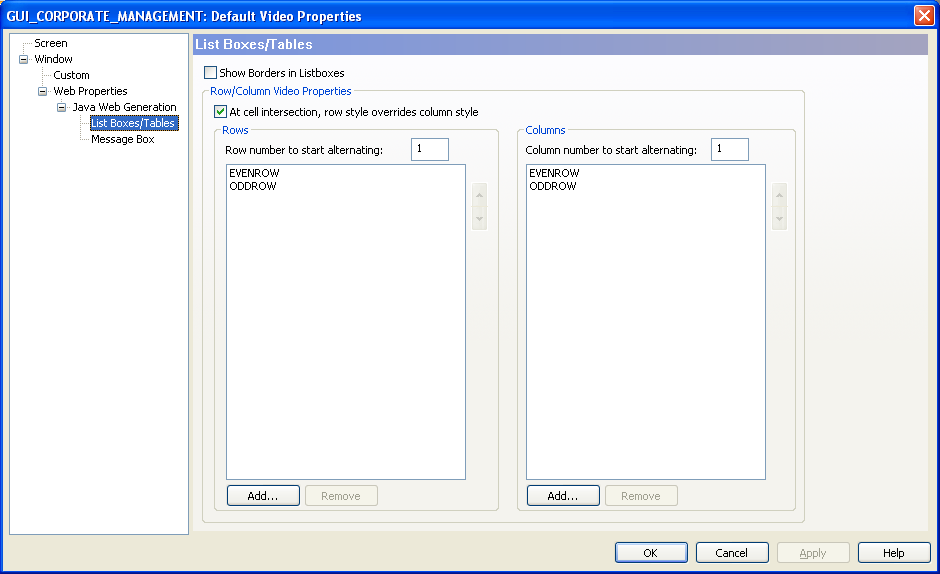
You can specify the appearance settings for all list boxes and tables by assigning a custom video property to these controls at the Business System level using the Video Properties dialog. Using this dialog, you can also specify the following characteristics for rows and columns in list boxes and tables:
The following image illustrates the List Boxes/Tables node in the Business System Defaults Video Properties:
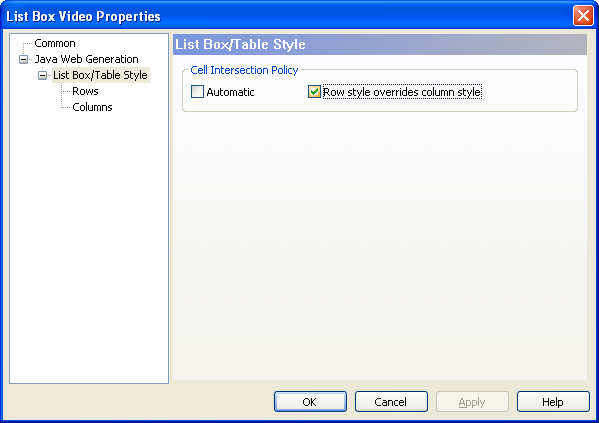
With the Java Web Generation node in the Navigation Diagram Video Properties dialog, you can select a custom video property to replace the default video property for specific instances of list boxes or tables. You can also specify the cell intersection policy, the rows styles and columns styles that replace the default cell intersection policy, the rows styles, and the columns styles defined in the Business System defaults video properties dialog.
The following image illustrates the List Box/Table Style node in the Navigation Diagram Video Properties:
Note: For more information about specifying custom video properties for the list boxes and tables in Java Web Generation applications, see the Toolset Help. For more information about specifying custom video properties for rows, and columns, see the sections, Custom Video Properties for Rows, and Custom Video Properties for Columns.
|
Copyright © 2013 CA.
All rights reserved.
|
|