

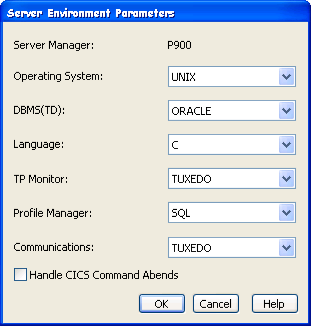
The Server Environment is specified for an individual Server Manager by highlighting a Server Manager, and then selecting Detail, Server Environment from the right click popup menu, inside the Cooperative Code Generation Window. The Server Environment Dialog that displays the Server Environment for a particular Server Manager is shown next.
|
Copyright © 2015 CA Technologies.
All rights reserved.
|
|