

The Server Environment is specified for all the Server Managers that constitute a Business System by highlighting a Business System, and then selecting Detail, Server Environment from the right-click popup menu inside the Cooperative Code Generation Window. The Server Environment Dialog that displays the Server Environment for all the Server Managers is shown next.
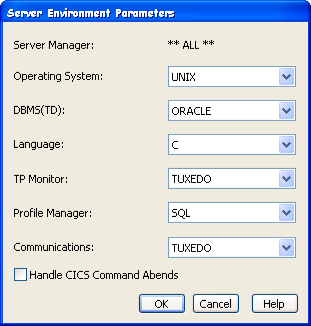
Note: The **ALL** indicates that the specified server environment parameters define default values that apply to all the server managers within the associated Business System that do not have explicitly detailed server environment parameters.
|
Copyright © 2015 CA Technologies.
All rights reserved.
|
|