

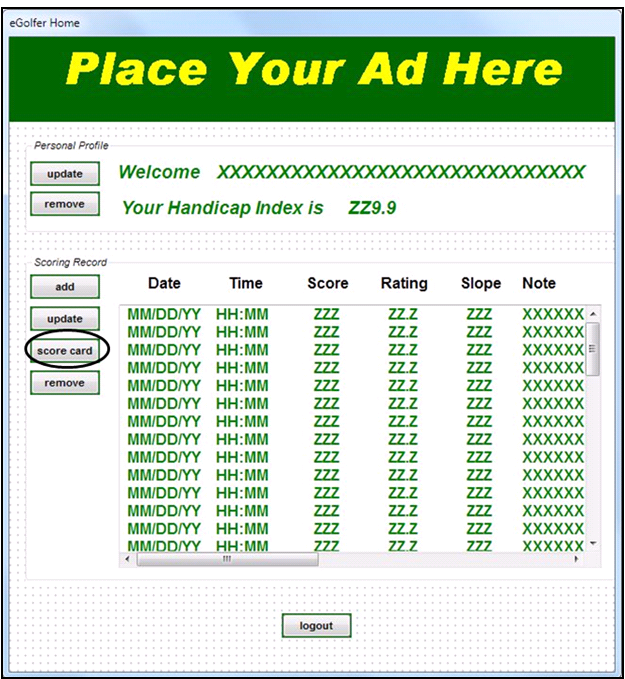
A new push button will be added to the eGolfer Home page with the label “score card”. It will be associated to a new click-event. When a Scoring Record is highlighted the push button will be enabled. Clicking it will allow the click-event logic to determine the highlighted row and to pass that information to the new Score Card client.
The modified eGolfer Home page will appear as follows:
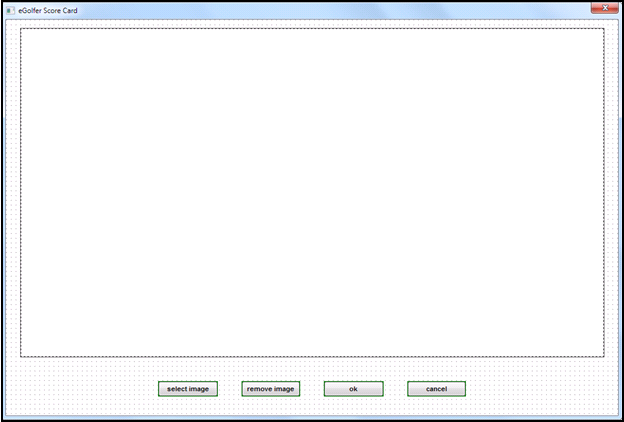
The new eGolfer Score Card page will contain an OCX control area and four push buttons. The buttons will allow you to select a new image, remove an image, and click ok to save your changes, or cancel your changes. Clicking ok or cancel will return you to the eGolfer Home page.
The new eGolfer Score Card page will appear as follows:
|
Copyright © 2013 CA.
All rights reserved.
|
|