In the Tree Control, scroll down to the Construction folder and double-click Generation.
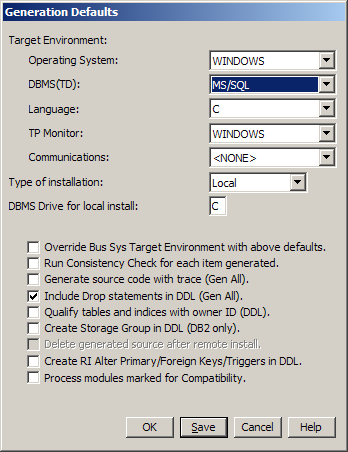
From the Main Menu, select Options and then select Generation Defaults….
Set the Generation Defaults as indicated below. Select the Save push button to save these settings for the next time you open the Toolset, and then select the OK push button.
Note: Your DBMS(TD) may differ if you are using some other database rather than SQL Server (MS/SQL). The rest of the settings should be the same.