

You can import WSDL files to Web Services in a site project.
Follow these steps:
The Import Web Service pop-up menu opens.
The Import Web Service dialog opens.
All the WSDL files available in the WSDL directory are listed.
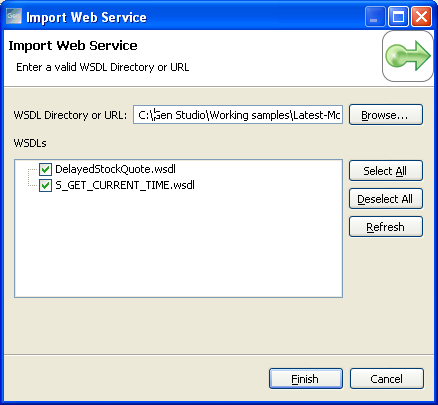
Note: By default, all the WSDL files are selected. Use Select All or Deselect All to change your selection.
The selected WSDL files are added under the Web Services node in the Web Service Access Navigator.
Note: You can also drag-and-drop the WSDL files from the file location in your system onto the Web Services node in the Web Service Access Navigator to add the WSDL file to Web Services.
|
Copyright © 2015 CA Technologies.
All rights reserved.
|
|