

Navigating the Diagram Trace Utility › Views › The Expressions View › Configure the Maximum Characters to Display in the Expressions Detail Pane
Configure the Maximum Characters to Display in the Expressions Detail Pane
You can configure the maximum number of characters to display in the Expression Details pane in the Expression view.
Follow these steps:
- Right-click on the Details pane in the Expression view.
The Configure Details Area dialog appears as shown in the following illustration:
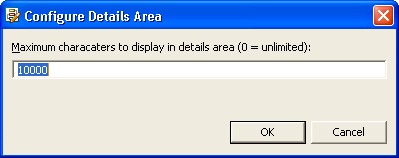
- Replace the default entry (10000) with the maximum number of characters to display in the Details pane and click OK.
The configuration is saved and the dialog closes.
Copyright © 2013 CA.
All rights reserved.
|
|