

Designing the Graphical User Interface › Guidelines for Window and Dialog Box Design › List Boxes › Types of List Boxes
Types of List Boxes
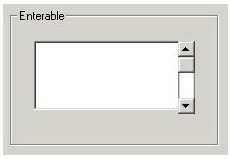
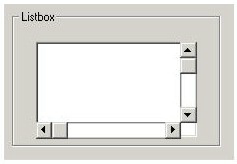
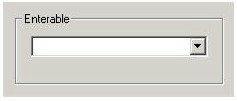
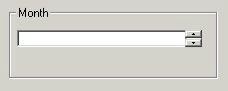
The following illustrations show the types of list boxes.
- Enterable
- Listbox
- Enterable Drop-down
- Non-enterable Drop-down
The following list explains guidelines for list boxes:
- Make the list box as wide as necessary to limit horizontal scrolling
- Determine the default number of lines to display based on the precedence of the list box relative to other window controls, its specific use, the available space, and the user.
- The average position can see five to seven items without the user moving their eyes.
- If the list box is the main control in the dialog, up to 20 lines can be displayed initially, depending on the space available.
- Provide search or filtering capability if the user would need to constantly scroll through a long list (more than four or five page downs).
- If the list box contains many fields, improve scanning ease by placing a blank line after every 5th or 6th line.
- Follow the guidelines for field prompts.
More information:
Designing the Procedure Logic
Field Prompts
Copyright © 2013 CA.
All rights reserved.
|
|