Designing the Graphical User Interface › Guidelines for Window and Dialog Box Design › Menu Bars Design
Menu Bars Design
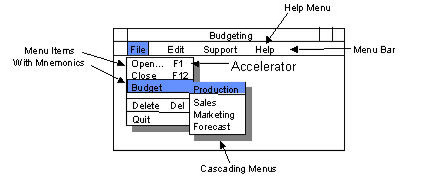
All windows should have a menu bar. Menu bars are not used on dialog boxes.
Selecting a menu item results in one of the following actions for the user of the CA Gen application:
- Initiates a flow due to a command set that is an autoflow.
- Opens a supplemental dialog box to this procedure
- Executes the procedure from the top.
- Executes an event.
- Executes a special action.
The following list explains guidelines for menu bars:
When to use a drop-down menu instead of the menu bar:
- Invoking an action from the menu bar itself should be discouraged. Users find them awkward and hard to notice because they are more the exception.
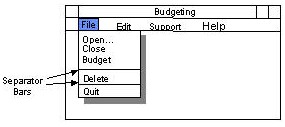
- If an action would be the only item in the drop-down menu, try to place it within another drop-down menu, using separator bars to logically differentiate it from the other items.
- If you must place the action in the menu bar, make it stand out from the other menu bar items by placing an “!” after the test to indicate that there are no options under the item and the action will be invoked when selected.
More information:
Designing the Procedure Interaction
Designing the Procedure Logic
Special Actions for Menu Items and Push Buttons
Mnemonics
Copyright © 2013 CA.
All rights reserved.
|
|