

When you select Tracing from the MSI .NET Assemble Details panel, the following dialog appears:
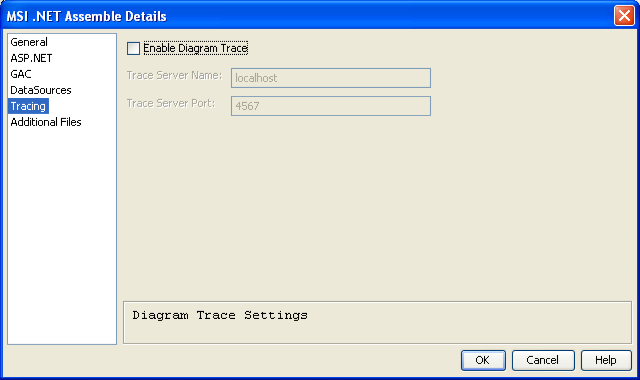
The fields in the Tracing dialog are described in the following list:
If selected, CA Gen generates XML to specify the Trace Server in the Deployment Descriptor. If this flag is not set, the generated code is not traceable, even if it was generated with Trace.
Note: The application must also be generated with Trace to use Diagram Tracing.
Specifies the name of the Trace Server. This field is available only if Enable Diagram Tracing is checked. The IP address can be in IPv4 format or IPv6 format.
Specifies the port number of the Trace Server. This field is available only if Enable Diagram Tracing is checked.
|
Field |
Description |
|---|---|
|
Load items |
Loads all the iitems and the list does not contain a scroll bar. |
|
Load items on scroll |
Loads all the iitems and the list contains a scroll bar. |
|
Copyright © 2015 CA Technologies.
All rights reserved.
|
|