

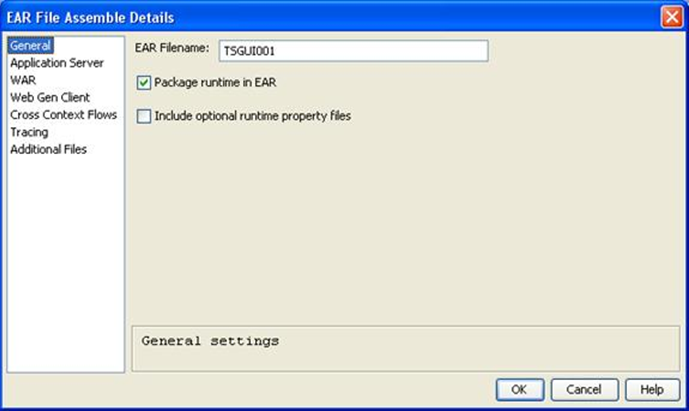
When you select General from the EAR File Assemble Details with only Window Load Modules (TP Monitor: INTERNET) selected for assembly and Web Gen clients are selected, the following dialog appears:
When you select General from the EAR File Assemble Details panel with only Server Load Modules (TP Monitor: EJB) selected for assembly and no Web Gen clients are selected, the following dialog appears:
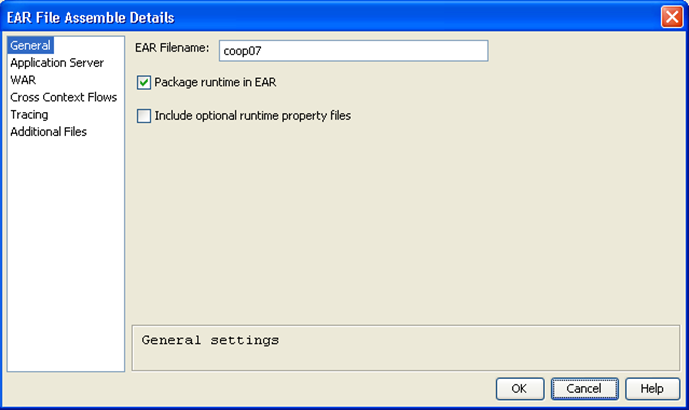
The fields in the General dialog are described in the following list:
Specifies the name of the EAR file to be created. The length of the EAR file name and directory path cannot exceed 255 characters. The default is the local model name.
If checked, the CA Gen Java Runtimes are packaged into the EAR file. For more information, see CA Gen Java Runtime/User Exits in the chapter “Pre-Generation Tasks” in Distributed Processing-Enterprise JavaBean User Guide.
If selected, the following files are copied from the CA Gen directory into the genrt##.jar file within the EAR file:
This option is provided as a convenience to clients who are deploying to an Application Server. However, this option must be used with care, as any change to either file requires redeployment of the application to the Application Server.
Note: This option is enabled only if Package runtime in EAR is selected.
|
Copyright © 2015 CA Technologies.
All rights reserved.
|
|