Previous Topic: Trace Using web.configNext Topic: Dynamic HTTP Compression


Trace a Generated ASP.NET Application Using the Diagram Trace Utility

Follow these steps:

  1. During generation, select to generate with Trace.
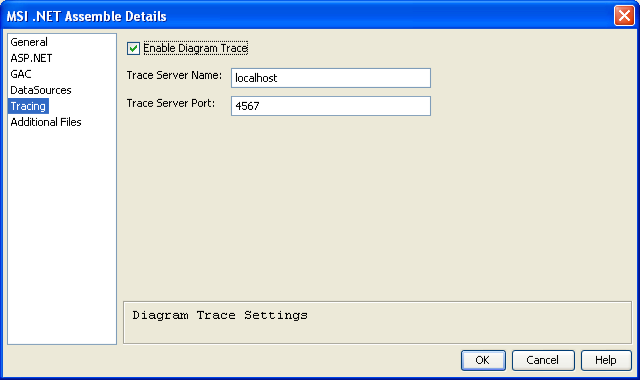
  2. From the Build Tool, in the MSI .NET Assemble Details dialog, select Enable Diagram Trace under the Tracing node.

    MSI.NET Assemble Details dialog  with tracing selected

  3. To start the Diagram Trace Utility, click Start, All Programs, CA, Gen xx, Diagram Trace Utility.

    Note: xx refers to the current release of CA Gen. For the current release number, see the Release Notes.

    Note: Diagram Trace Utility executes only on Windows.

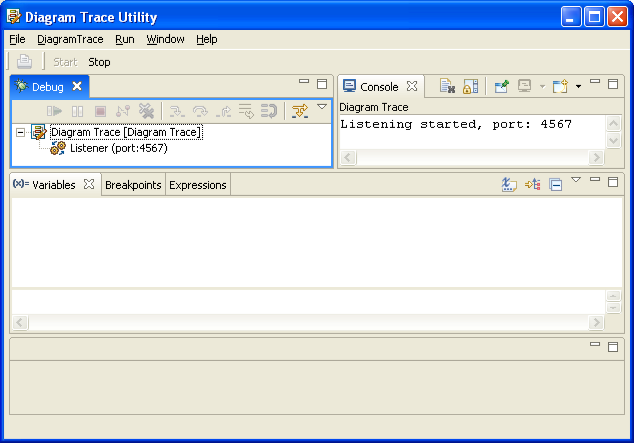
    Diagram Trace Utility Window

  4. The Diagram Trace Utility will autostart and listen on port 4567. You may change the default port from within the Diagram Trace Utility.
  5. Start the application normally from the browser by invoking the ASP Handler (<trancode>.ashx).
  6. Step through the Action Diagram code. For more information, see the Diagram Trace Utility User Guide.