

Generating an ASP.NET Web Client Application › Generate ASP.NET Web Client Application from CSE
Generate ASP.NET Web Client Application from CSE
You can also generate ASP.NET Web Client applications from the Client/Server Encyclopedia (CSE).
Follow these steps:
- Start the Construction Client and open your model.
- Select Code, Generate, Cooperative.
- From Cooperative Application Generation, select Defaults; the following Generation Defaults dialog appears:
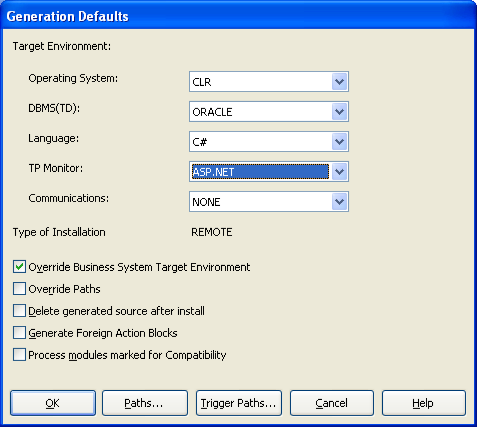
- Select CLR from the Operating System drop-down.
- Select C# from the Language drop-down.
After defining the ASP.NET Web Client components, you are ready to continue with the generation of an ASP.NET Web Client application.
Copyright © 2013 CA.
All rights reserved.
|
|