

You can access CA File Master Plus through a traditional ISPF interface or through an Eclipse Ready™ graphical user interface (Eclipse UI). You can install the Eclipse UI as a standalone program in a Windows environment or as a plug-in to Eclipse or other Eclipse-based integrated development environments.
This document provides a conceptual and procedural information that you need to get started using the CA File Master Plus Eclipse UI. It walks you through installing and configuring the standalone application and provides an introduction to the user interface.
You can find complete instructions for the CA File Master Plus Eclipse UI on the product bookshelf or using the online help from within the Eclipse UI.
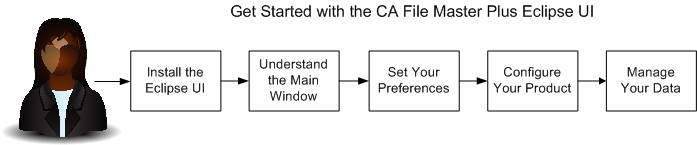
Complete the following tasks to get started using the CA File Master Plus Eclipse user interface:
|
Copyright © 2013 CA.
All rights reserved.
|
|