

CA Executive Insight allows you to view vital company business metrics on mobile devices. CA Executive Insight realizes you know your business the best! CA Executive Insight enables you to define criteria to be used to assign a specific status to each value that allows an easy visualization of a metric value normal/abnormal behavior at any point of time.
Now that you have specified the business indicator levels important to your business, you can view the results.
Follow these steps:
Access CA Executive Insight on your mobile device, and select how you would like to view results:
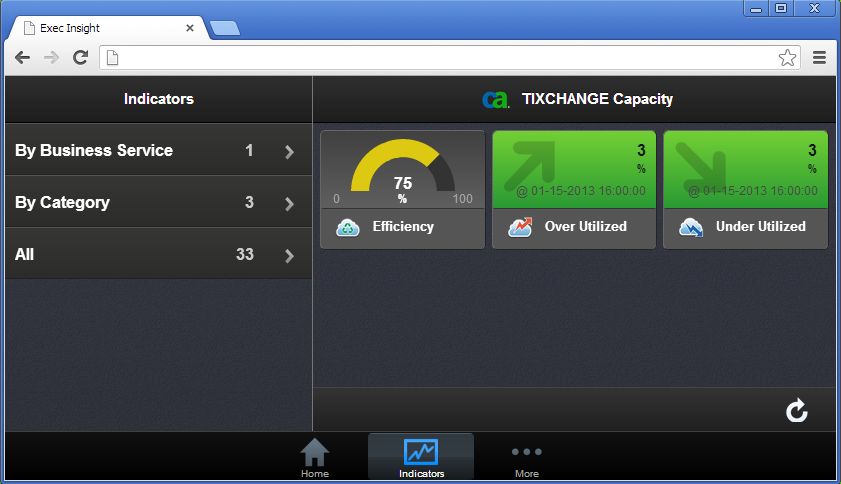
Our example below shows the category dashboard, based on the business indicators you defined in the category (as shown along the left-hand side of the screen):
We can select a specific business indicator to view from the list, as shown below:
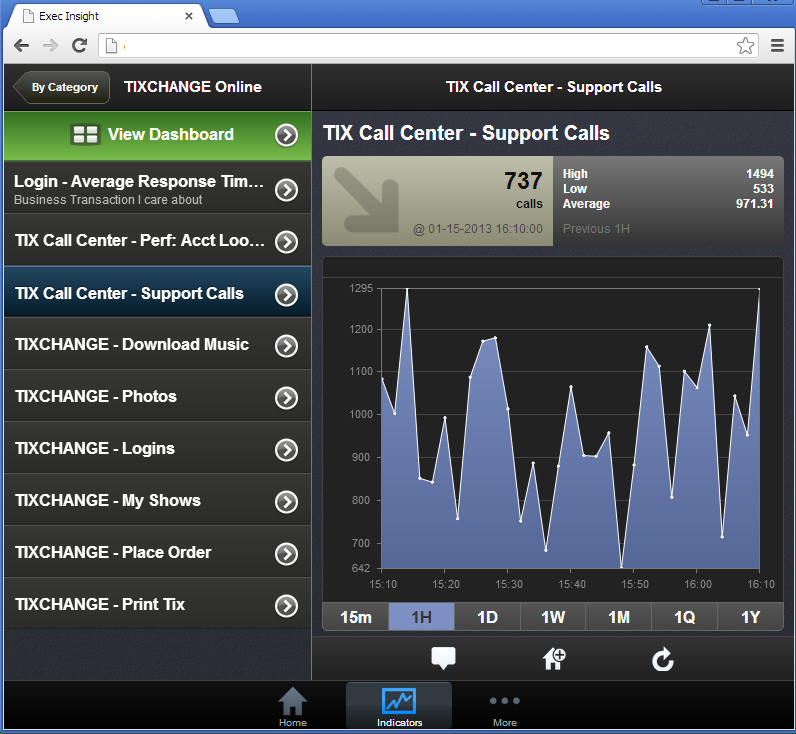
Alternatively you can select the business indicator shown in the dashboard. The top-right hand provides summary statistics such as High, Low, Average values. The left-hand section provides current time and current data value for the business indicator. The arrow indicates that the current value is lower/smaller compared to the previous data value.
If applicable, the caution line would appear as a yellow horizontal line and the danger line would appear as a red horizontal line through your business data.
You can also select various time increments such as 15 minutes, 1 hour, 1 day, 1 week, 1 month, 1 quarter, and 1 year.
|
Copyright © 2013 CA.
All rights reserved.
|
|