

As a change manager (CA Endevor SCM administrator), you can enable the Web Services component. This component is a prerequisite for the Eclipse-Based UI. In addition, you can use Web Services to connect your user-written program to the CA Endevor SCM API.
Enabling Web Services is a complex process that requires that you coordinate the assistance of other roles. The following graphic shows the responsibilities (scenarios) associated with each role for the master scenario How to Enable Web Services:
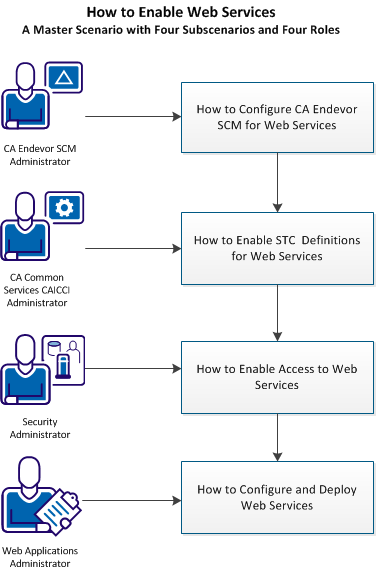
To enable Web Services, the following roles complete these scenarios:
Note: All roles should review the prerequisites topics before attempting their how-to scenario.
Note: Completing these steps sets up Web Services to use the Eclipse Plug-in. For more information about client stubs, see User-Written Client Programs.
|
Copyright © 2013 CA Technologies.
All rights reserved.
|
|