

You are now in the standard edit facility of ISPF. If you want to modify the commands, you are free to do so. Keep in mind that you are actually editing a temporary data set, so the changes you make will not be saved at this time. If you want to save the changes, you can do so at the report disposition screen once you have generated your report(s). The following illustration is a sample DSCL Command EDIT Panel:
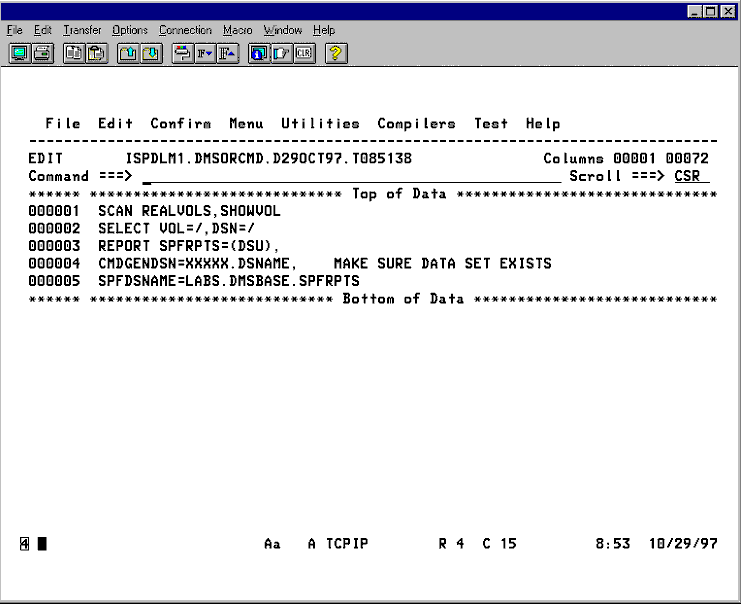
After you have modified the commands (or if you choose not to), press <END>. You will be passed to the report confirmation panel (DMS043F). From there the report generation process will proceed as previously described.
|
Copyright © 2015 CA Technologies.
All rights reserved.
|
|