

Configuring Your Product › Customization Options › Customizing the TSO/ISPF Auto-Restore Environment › USERMOD8
USERMOD8
USERMOD8 must be installed using SMP/E. Sample JCL is provided for you in member USERMOD8 of the install library. Install USERMOD8 in the following manner:
- Locate the source for USERMOD8 in the library associated with the CCUWSAMP DDDEF. The following illustration is sample SMP/E JCL for USERMOD8:
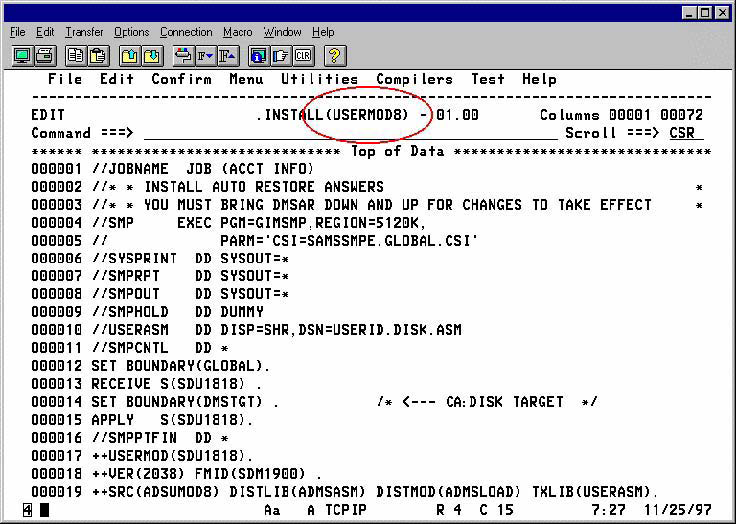
- Customize USERMOD8 by supplying the appropriate information for the following:
- jobcard information
- Global and Target CSI names
- USERASM data set name
- Submit USERMOD8
- Refresh the Auto-Restore hook on all systems for this change to take effect. Issue the following command to accomplish this:
S DMSAR,DMSAR=REFRESH
Copyright © 2015 CA Technologies.
All rights reserved.
|
|