

While the previous format is still very readable, the user can use available Excel facilities to transpose the BVM and BVD tables from landscape format to portrait format.
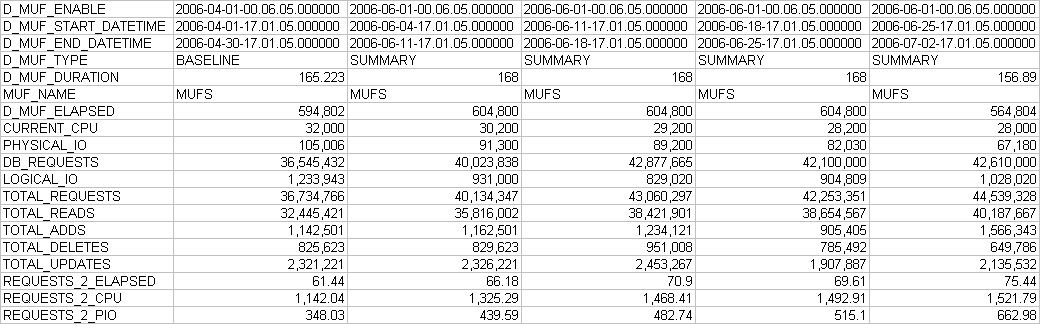
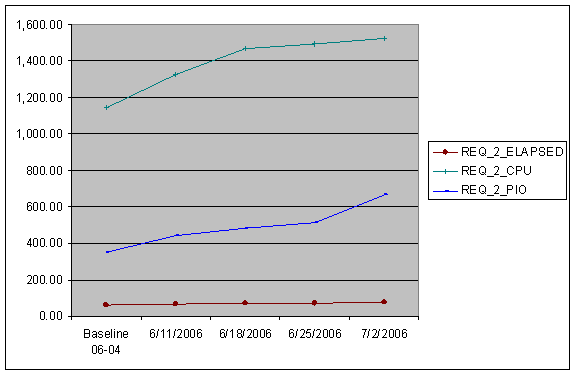
Excel graphs can now be created comparing the baseline week with the four summary weeks.
|
Copyright © 2014 CA.
All rights reserved.
|
|