

Database Guide › SQL Server Guidelines › SQL Server Logins › Manually Create a SQL Server Login
Manually Create a SQL Server Login
(Applicable to the CMS)
You can manually create the required SQL Server logins before installing the CMS. Use SQL Server Enterprise Manager to create logins for the: Primary User; Search User; Unrestricted Search User; and Data Warehouse User.
- To manually create a login for SQL Server 2005
-
- In Enterprise Manager, go to the Security, Logins folder of the CMS server:
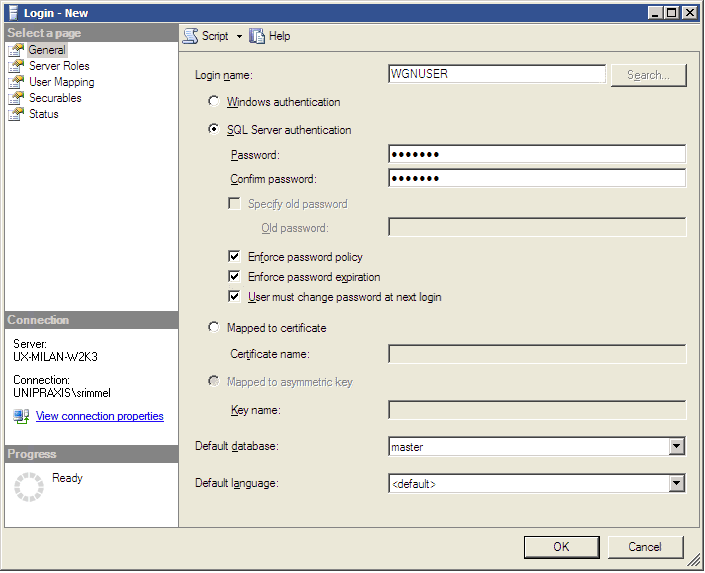
- In the General tab do the following:
- Enter a login name in the Name field. This login must be able to connect to the ‘master’ database. The CMS installation wizard will ask for this login name.
- Select ‘SQL Server Authentication’ and specify a password.
- In the Server Roles tab, grant the dbcreator role to the new login. (SQL Server uses server roles to grant server-wide security permissions to logins.)
- Click OK.
Copyright © 2012 CA.
All rights reserved.
|
|