

Database Guide › SQL Server Guidelines › SQL Server Logins › Manually Create a SQL Server Login › If Upgrading a SQL Server CMS from 6.0
If Upgrading a SQL Server CMS from 6.0
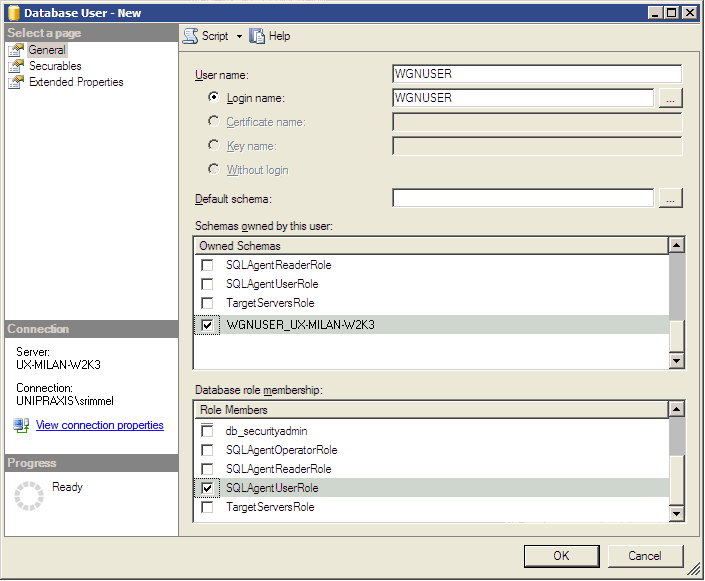
If upgrading from CA DLP version 6.0, you need to assign the database role SQLAgentUserRole to the primary user in the msdb system database. This allows the primary user to create and schedule SQL Server Agent jobs. (This role is granted automatically when you install a new SQL Server CMS.)
To assign the SQLAgentUserRole role
- Go to the System Databases, msdb, Security, Users folder.
- Create a new user with the same name as your new SQL Server login, and then assign the login for your existing Primary User as the new user’s ‘Login name’.
- Go to the msdb, Security, Database Roles folder.
- Assign the new user to the SQLAgentUserRole role.
Copyright © 2012 CA.
All rights reserved.
|
|