

|
|
|
If the NBA is connected at the wrong point in a network, it may ‘see’ more than just traffic destined for the Internet. Consequently, if individual packets from an email or file stream are missed, this will cause the entire stream capture to fail.
Note that you can filter this traffic by exempting specific IP addresses or port numbers, though this may not reduce traffic volumes sufficiently to solve the problem.
If the NBA is seeing too much traffic, the evidence will be in the form of dropped packets.
To check for dropped packets
A non-zero figure confirms that the NBA is dropping packets.
The screenshot below shows an extract from cpu-info.txt on a Bivio 2000 appliance. The drop count shows that the NBA is indeed dropping packets:
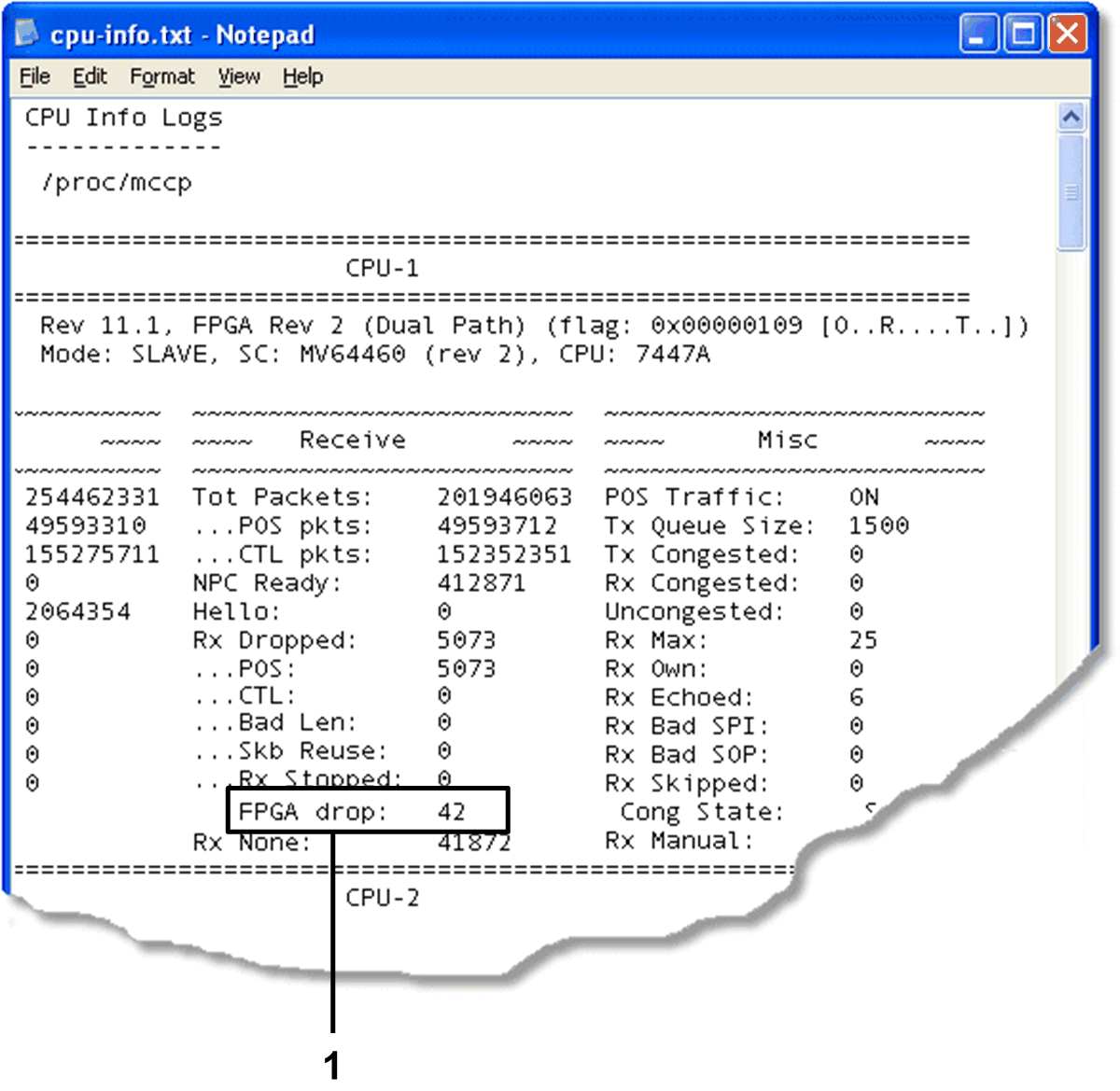
Example cpu-info.txt on Bivio 2000 appliance
1 FPGA drop count.
| Copyright © 2011 CA. All rights reserved. | Email CA Technologies about this topic |