

Correlating front-end and back-end traces can be challenging when the filter is not narrowed to include fewer traces. When there is a heavy volume of traces coming from the front-end and back-end, CA APM Cross-Enterprise lets you launch a new transaction trace session from an existing one. This launch creates a new back-end transaction trace session from the selected web service or CTG front-end transaction trace and makes correlation are more likely.
Follow these steps:
A New Transaction Trace Session window opens with populated fields from the front-end trace.
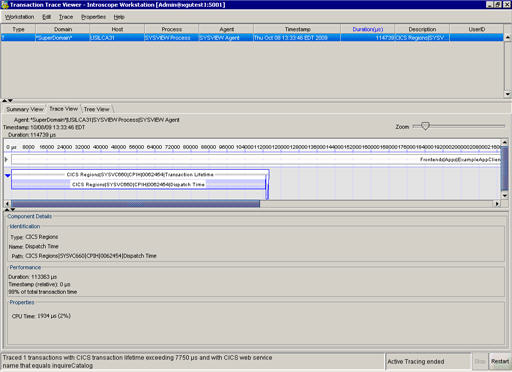
The returned trace is the correlated front-end and back-end trace.
|
Copyright © 2013 CA.
All rights reserved.
|
|