

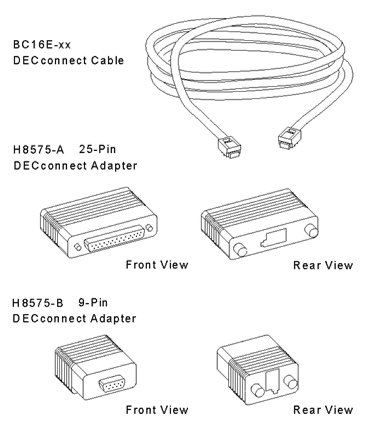
You need one BC16E-xx DECconnect cable (where xx denotes cable length) or equivalent for each serviced system.
Depending on the type of connection you are using, as well as the type of system you are managing, you may require one or more of the following DECconnect adapters:
You may need a DECconnect adapter for your terminal or console server as well. For example, the DECserver 90TL terminal server needs a H8584-AC DECconnect adapter.
The following figure shows the H8576-A and the H8575-B adapters in detail.
Connect the cable between the terminal or console port of the serviced system and the host port of the terminal server using DECconnect adapters where required.
The cables and adapters are the same for whichever method of connection you choose.
Note: Some managed devices such as a Digital Alphastation 200 need firmware console commands to be executed before they can be managed by Console Manager. For example:
>>> set console serial
>>> init
Please see your specific hardware user guide for information on utilizing its console subsystems.
See the section Identifying and Solving Connection Problems if you have any problems when using the cables and adapters.
|
Copyright © 2010 CA.
All rights reserved.
|
|