

|
|
|
The interactive mode of analysis attempts to process each eligible entry in the work list. Patterns are not eligible for analysis. Also ineligible are data sets already compressed or implemented for compression and data sets that have been marked for exclusion from CA Compress processing. After a data set is implemented or excluded, the code in the Routine field does not change.
To initiate interactive analysis, select the Task action item, then select Interactive Analysis from the menu.
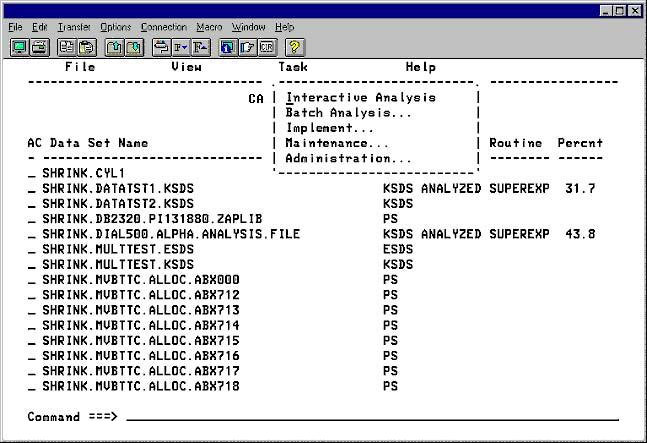
The work list is updated with the results and redisplayed as the analysis of each data set completes. The system keeps track of the amount of time that the analysis process takes. If the analysis time exceeds a specified threshold a panel warns you and lets you proceed, quit or submit the list for batch processing.
| Copyright © 2012 CA. All rights reserved. |
|