

|
|
|
While building a list you can select the Delete option as many times as necessary to remove data set names from the list. The following panel shows the work list panel with the File menu and the Delete panel open. A single data set can be specified or a group of data sets can be deleted by specifying a data set name mask.
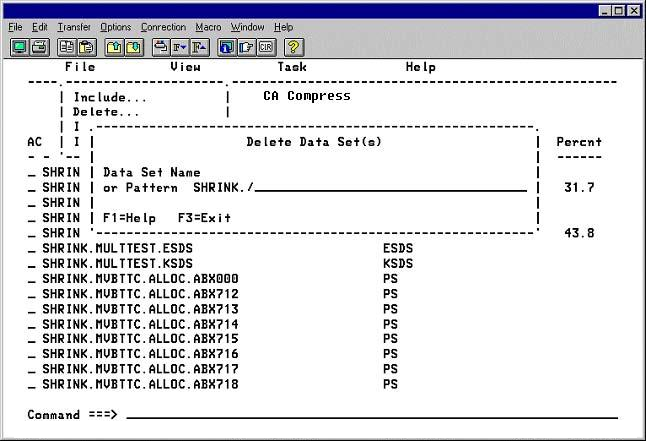
Note: Since patterns are not data sets, they cannot be deleted with the d line command. A pattern can only be deleted through batch.
The d (Delete) line command is a convenient method for deleting entries from the work list. To use this facility enter a d in the action field of one or more entries in the list and press Enter.
| Copyright © 2012 CA. All rights reserved. |
|