

|
|
|
Selecting the File action item shows a menu containing the options for building the work list. Include allows you to select data sets to be added to the list. Names or partial names entered through the Delete option removes data sets from the list. Identify Pattern lets you use pattern criteria to implement compression for multiple data sets.
To build a work list:
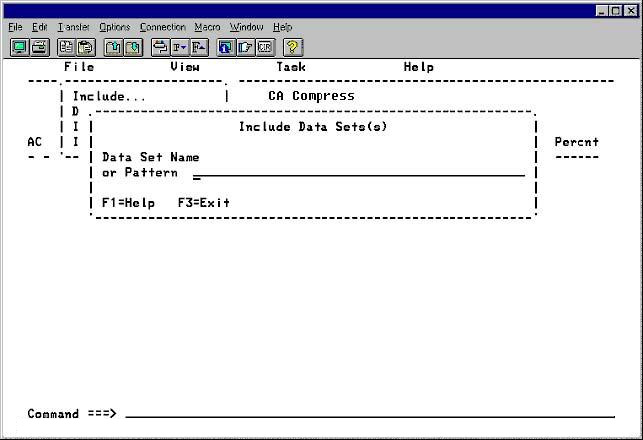
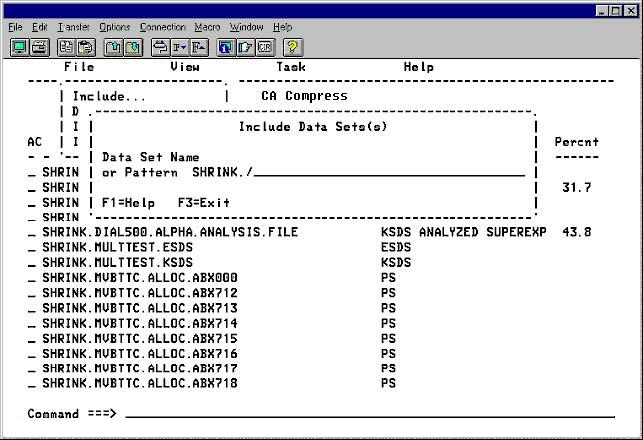
CA Compress searches the system for the specified data sets and when found, adds them to the list. In addition to searching the system catalogs for the requested name, CA Compress looks for the specified data set name in the Control File to determine if this data set has already been implemented. If the data set has been implemented, it is noted in the status field.
Physical sequential data sets, compressed and implemented in earlier versions using the SUBSYS parameter, do not appear in the Control File. The IUI examines any sequential data set on the work list to determine whether it is compressed and if so, how. Data sets compressed with FDTs generated by the Prepass utility cannot be recognized with certainty. So we strongly recommend that you do not use the old style Prepass FDTs for sequential data sets.
Sequential data sets compressed with Standard Tables or Super Express, or with an FDT generated by the IUI, are marked compressed in the status field. These can be implemented, but cannot be reanalyzed. If the algorithm or FDT name is recognized, it is displayed in the status list, and the data set can be implemented only with that name. If the FDT name is not found on the Analysis File, and the user supplies a name, the data set is implemented if that FDT exists on the Control File and the ICB is correct.
Note: Implemented data sets cannot be reanalyzed or reimplemented through the IUI.
If the data set has already been analyzed and registered in the Analysis File, compression statistics for the algorithm, that are currently the default, appear. The b Browse line command (discussed in more detail following) can be used to review all of the prior analysis results for the data set.
You can continue to add items to the list by selecting the Include option from the File action menu.
| Copyright © 2012 CA. All rights reserved. |
|