

Setting up single sign-on (SSO) for an application involves configuration tasks at the User Console and CSP console.
Prerequisites:
As a tenant administrator, your configuration tasks are performed at the User Console. The intent of the following diagram is to show tasks for the hosting and tenant administrators. All these tasks are necessary to complete single sign-on configuration.
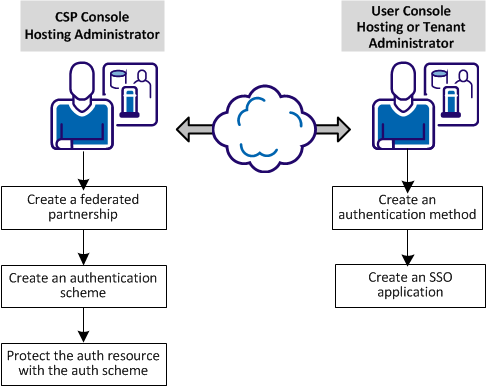
At the CSP console:
At the User console:
4. Create authentication methods for the tenant.
5. Create an SSO application.
These configuration tasks are described in the scenario How to Set up Single Sign-on for an Application.
|
Copyright © 2014 CA.
All rights reserved.
|
|