

In a high-availability deployment, CA IAM Connector Server systems are load balanced. The load balanced CA IAM Connector Server systems need to be configured as network peers so that they can share configuration and requests. For this procedure, you use the management console of each connector server. Do not access the management console through the Apache server.
Follow these steps:
Log in to the CA IAM Connector Server console using the admin/eTrust01 account.
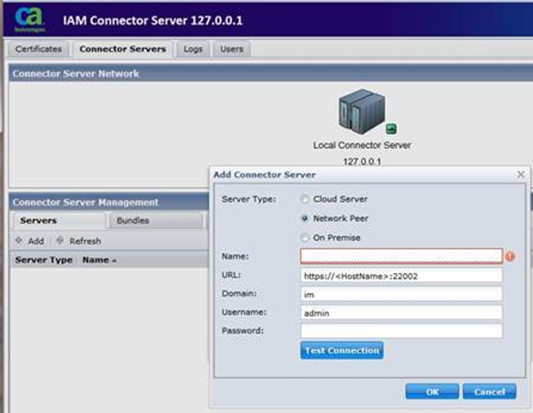
The domain can usually be left unchanged.
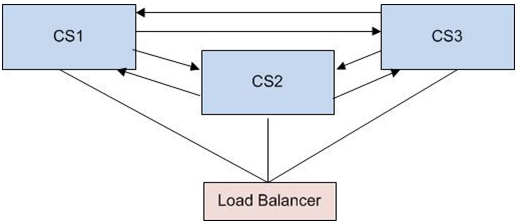
Each of the other peers must be added. If a connection cannot be established, check that the clocks on the peers are synchronized. Use the following diagram as an example:
|
Copyright © 2013 CA.
All rights reserved.
|
|