

This section applies to Identity Management only.
CA IAM Connector Server comes with a tool that helps you migrate account templates and their associations to objects in the new connector. If Identity Management already manages ACF2 endpoints using the plugin connector, you can use the existing ACF2 data with the new connector.
This tool migrates the following data:
The migrated account templates have the same name as the old account templates.
You cannot use this tool to migrate endpoint objects. Before you can migrate other data, acquire and explore the endpoints with the new connector.
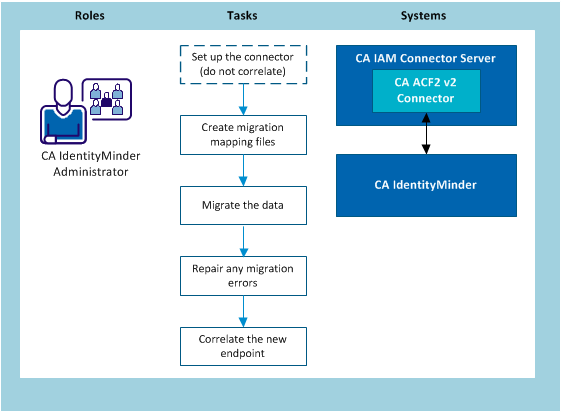
The migration tool works with two mapping files:
The endpoint mapping file uses the following format:
OldEndpointName=NewEndpointName
The custom attribute mapping file uses the following format:
from-custom-attribute=to-endpoint-attribute
The mapping file has the same format and contents as the schema_map.txt used in Provisioning Manager and Provisioning Server. You can use schema.txt as the mapping configuration file for the migration.
Follow these steps:
When you run the mapping tool, use the –c option to specify the path to the mapping file.
When you run the mapping tool, use the –m option to specify the path to the mapping file.
Example: Endpoint mapping file
In the example below, the administrator chooses to keep the endpoint name the same:
MFTSS.org.com=MFTSS.org.com
Example: Custom attribute mapping file
CustomAttribute001=VSE-IES-Dflt-Usercat
CustomAttribute002=VSE-IES-Fld1
|
Copyright © 2013 CA.
All rights reserved.
|
|