

Deploying the appliances creates preconfigured virtual machines on your VMware ESX Server. Use the OVF templates that are provided in each appliance to deploy the monitoring service cartridge.
If your security policies or other considerations restrict share access to the ESX, select manual deployment through VMware vSphere Client. You can manually deploy monitoring service cartridge using VMware vSphere Client.
You can deploy the templates using the VMware vSphere Client.
Note: Use the worksheet to enter the specific values that are required during the deployment process.
Follow these steps:
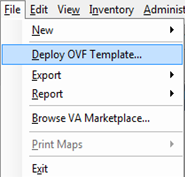
The Deploy OVF Template window opens the Source option displays.
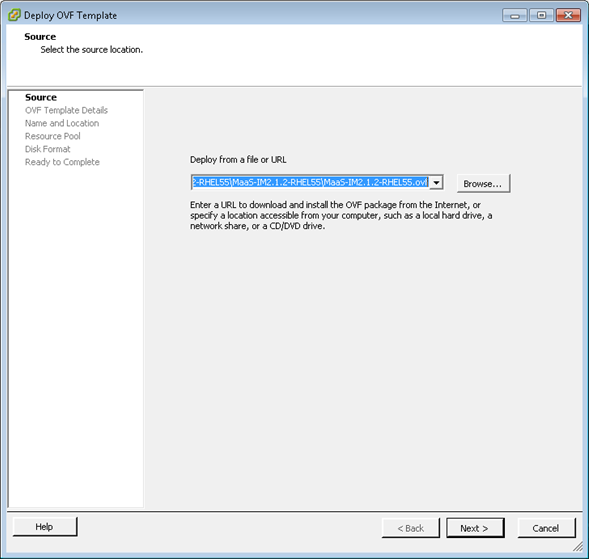
The OVF templates must be deployed in the following sequence:
Important! Install the templates in the order specified in this guide because deployment and configuration are interdependent. We do not support any deviations from these deployment and configuration procedures. These procedures also assume that you have the required infrastructure and non-CA Technologies software installed.
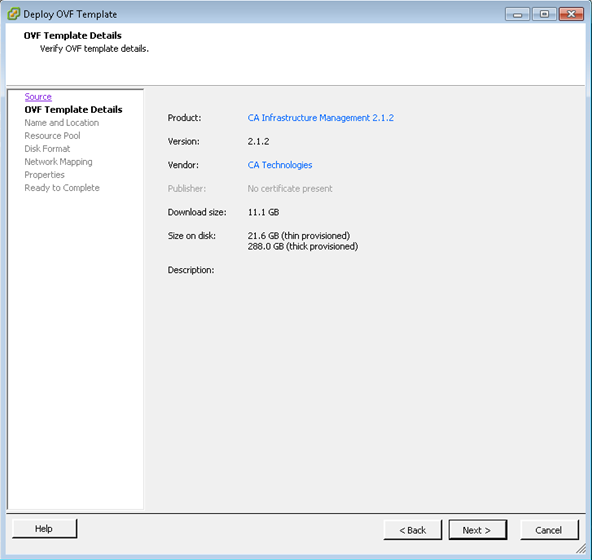
The OVF Template Details page opens and displays the details stored in the OVF template such as the download size, available disk size, and vendor name.
The Name and Inventory Location page opens and lets you add a name to identify the OVF and specify the datacenter where you want to provision the server.
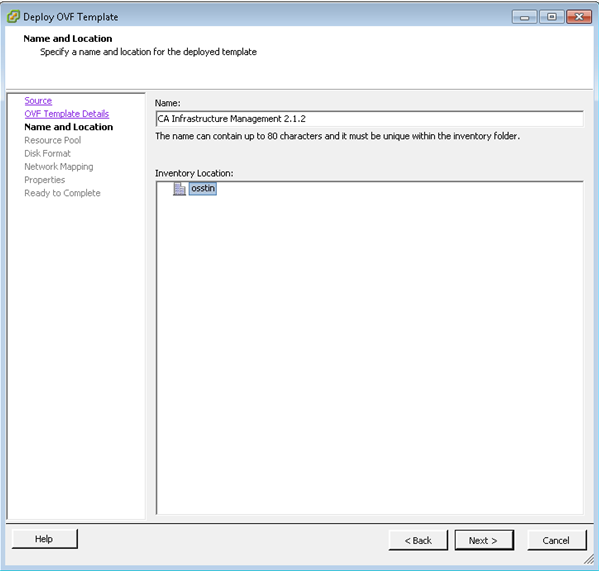
Note: By default, the name that is specified in the OVF template displays in the Name field. Retain the default name for the template.
The Resource Pool page opens.
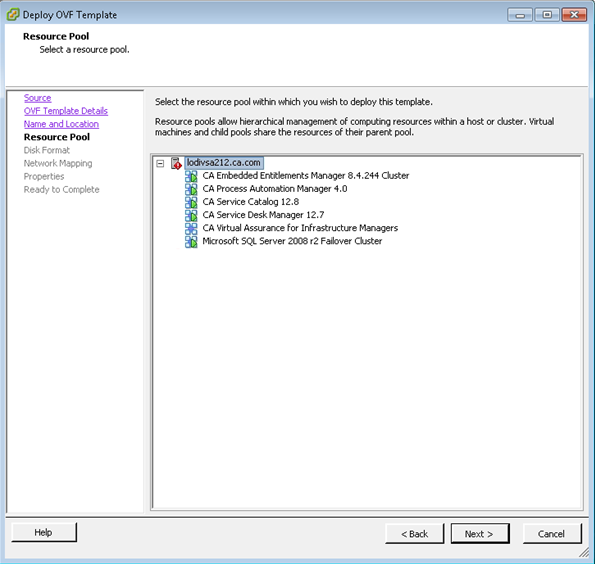
The Disk Format page opens.
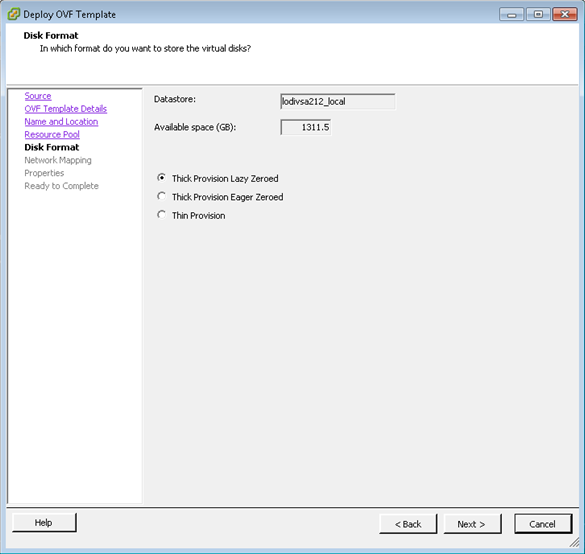
The Network Mapping page opens.
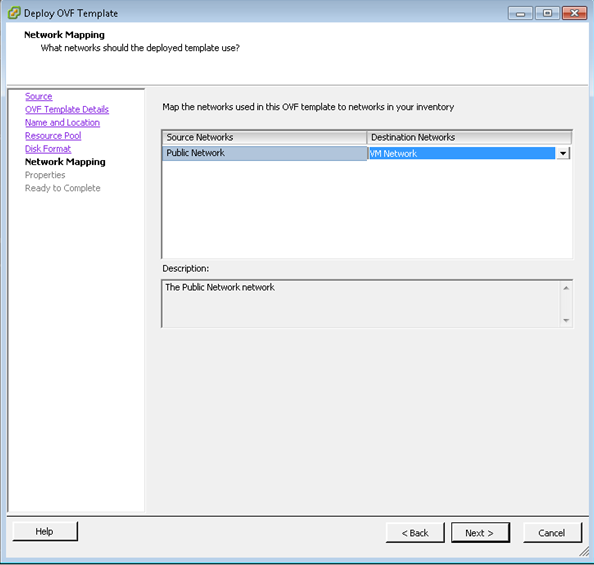
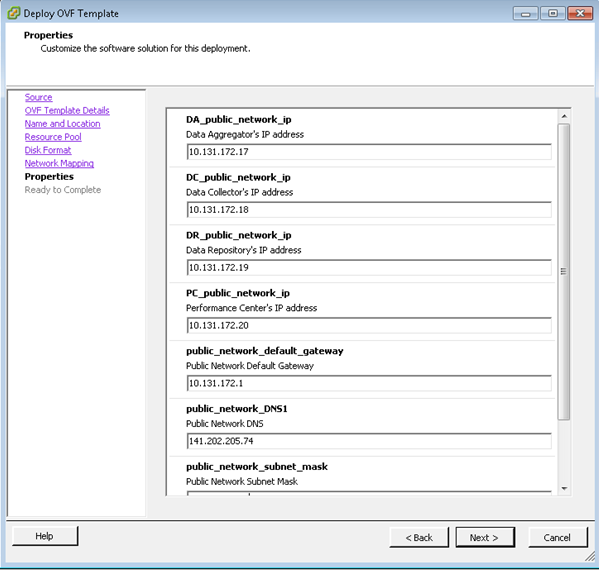
The Properties page opens to customize the software solution for this deployment. This page contains the Host settings.
Note: The mandatory field descriptions are marked in red.
The Ready to Complete page opens and displays a summary of the details you entered in the previous pages.
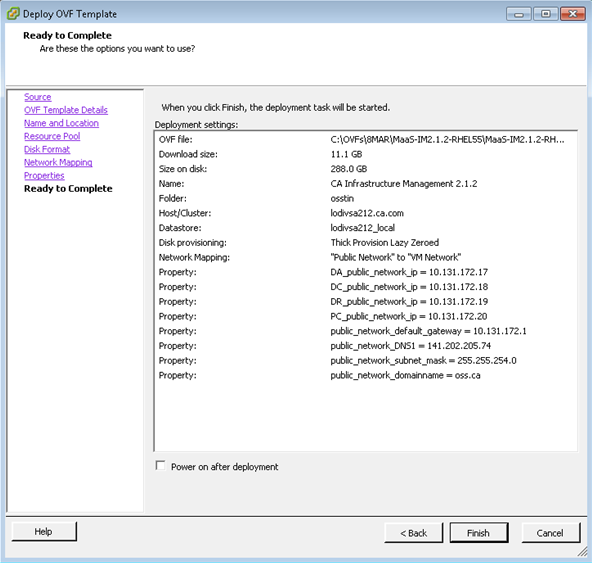
The deployment of monitoring service cartridge is complete now.
|
Copyright © 2013 CA.
All rights reserved.
|
|