

Installation › How to Deploy Monitoring Service Cartridge › Verify Implementation › Verify CA Spectrum OneClick
Verify CA Spectrum OneClick
Log in to the virtual machine where the CA Spectrum OneClick is deployed to verify the deployment.
Follow these steps:
- Log in to the virtual machine with administrator credentials.
- Application: MaaS-OneClick
- User Name: Administrator
- Password
- Click Start, All Programs, CA, and then start CA Spectrum OneClick Console.
The CA Spectrum OneClick login page opens.
- Log in to the system with administrator credentials.
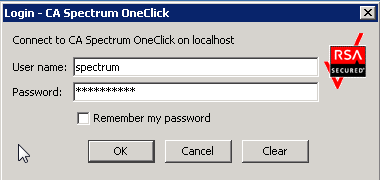
The CA Spectrum OneClick home page opens.
If you can log in and access CA Spectrum OneClick server, the deployment was successful.
Copyright © 2013 CA.
All rights reserved.
|
|