

This operation configures the monitoring components to work together for the monitoring service.
Note: For both manual deployment and automatic deployment, after you instantiate or deploy the OVF templates, start the CA SpectroSERVER to configure and ensure that the status is RUNNING.
Follow these steps:
The SPECTRUM Control Panel page opens.
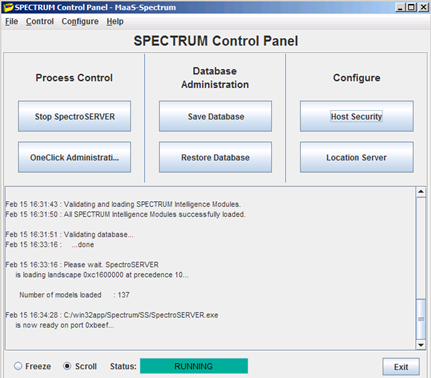
The configuration is complete.
|
Copyright © 2013 CA.
All rights reserved.
|
|