

As a system administrator, you can use a Linux-based boot image to deploy Linux operating systems and Hypervisors like VMware ESXi and Citrix Xen Server in an unattended mode.
The following diagram describes the steps for creating and deploying the OS images using Linux-based boot image:
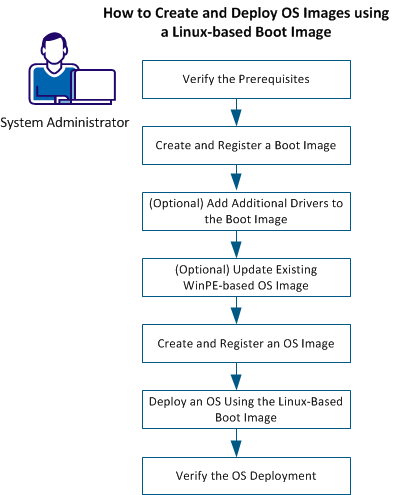
Using the new Linux-based boot image, you create and deploy OS images. See Supported Operating Systems for the list of Operating Systems supported.
Perform the following steps:
This section contains the following topics:
Create and Register a Boot Image
(Optional) Add Additional Drivers to the Boot Image
(Optional) Update Existing WinPE-based Linux OS Images
Create and Register an OS Image
Deploy an OS Using the Linux-Based Boot Image
|
Copyright © 2014 CA Technologies.
All rights reserved.
|
|