

Suppose that Samantha, the administrator responsible for designing Xcelsius visualizations and adding them to interactive portlets, wants to create an Xcelsius visualization that can filter portfolio investments for analysis.
Samantha creates a prototype, identifies the CA Clarity PPM data needed, and determines that the portfolio ID can be used to filter portfolio investments. Samantha designs an Xcelsius visualization for portfolios that has the following:
Samantha sets up the Xcelsius visualizations for real-time CA Clarity PPM data exchanges using the CA Clarity PPM Web Services connection method. She creates a Flash variable named pPortfolioID, which is used to filter the data in the visualization based on the portfolio ID. The exact Flash variable is mapped to the interactive portlet using an object parameter. She exports the visualization as a .SWF file.
In CA Clarity PPM, Samantha does the following from Studio:
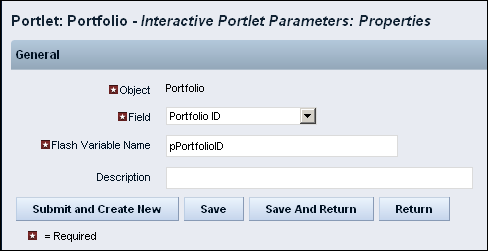
Users who have access to the Portfolios menu can view the Portfolio interactive portlet and analyze select investments in their portfolio.
|
Copyright © 2015 CA Technologies.
All rights reserved.
|
|