

|
|
|
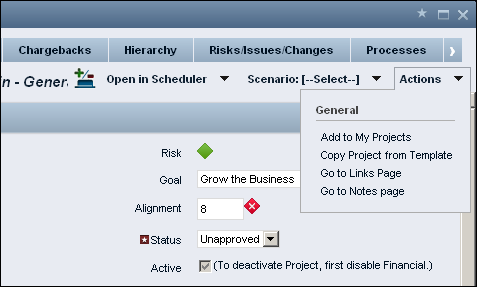
The Actions menu appears on the list and properties views of most pages. This menu provides quick access to actions that a user can take directly from the page.
You can modify the list of options that appears by default under the General submenu, or you can create additional submenus with options.
The Actions menu is specific to an object. The menu options are actions that you can perform on the object. The menu is controlled from the properties and list views of the object. For example, to add options to the Actions menu for projects, you complete the following tasks:
The following illustration shows the default Actions menu for a project properties page.
The following diagram describes how an administrator customizes the Actions menu.
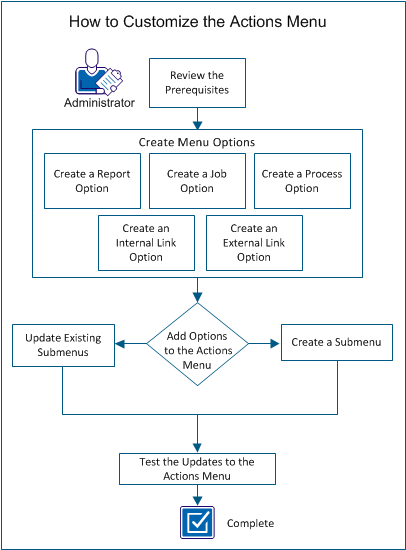
Perform these steps to customize the Actions menu:
| Copyright © 2012 CA. All rights reserved. |
|
