

As a CA Chorus administrator, use the Investigator to view and analyze information that is stored in discipline-specific data repositories. While analyzing object-specific information, you can create notes to record your observations, findings, and general comments. The Investigator lets you create and insert notes to a row of data representing a path. A note can be a private or public information that is related to an object.
Notes act as on-screen reminders and greatly increase communication among users and identify changes in the usage of system resources, interaction with a database, and similar activities. Notes also appear as results when you search the Knowledge Center.
For example, you have investigated and identified the system that causes service outage during the peak working hours. You raised a Service Desk ticket to resolve this issue. You can add a note that mentions the service desk ticket number to the identified system. This note helps your colleagues understand that the system is under maintenance. You can revisit and update the note when you get updates on your Service Desk ticket.
The following illustration shows how an administrator shares knowledge using notes:
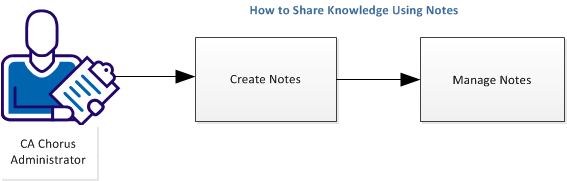
To share knowledge using notes, complete the following tasks:
|
Copyright © 2015 CA Technologies.
All rights reserved.
|
|