

To monitor memory usage at 85 percent and 95 percent, you need two different policies. The Object Picker lets you create, select, and manage the policy objects. Before selecting the policies, review the objects, rules, and actions that are set for the policies.
If the policies do not exist, skip this procedure and go to Create Policies.
Follow these steps:
The Object Picker opens.
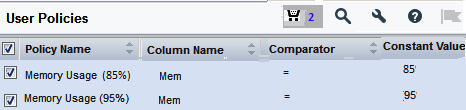
Note: The Shopping Cart icon ( ) displays the count of policies that you have selected across different tree nodes and disciplines. Click this icon to see only the policies that you have selected. To remove a policy from the cart, clear the check box, and click Save.
You have added the policies to monitor the memory usage of your server to the Policy Status Light module. To configure the module immediately after adding the policies, continue with Step 5 of the procedure Configure Policy Status Light.
|
Copyright © 2015 CA Technologies.
All rights reserved.
|
|