

The following diagrams provide an overview of the network data source setup for CA Chorus Infrastructure Management. Your source of network data comes from one or more CA NetMaster NM for TCP/IP regions. On each system for which you want to monitor network data, you have a CA NetMaster NM for TCP/IP region running. For performance reasons, we recommend that CA Chorus and the CA NetMaster NM for TCP/IP region with which CA Chorus directly communicates be on the same system.
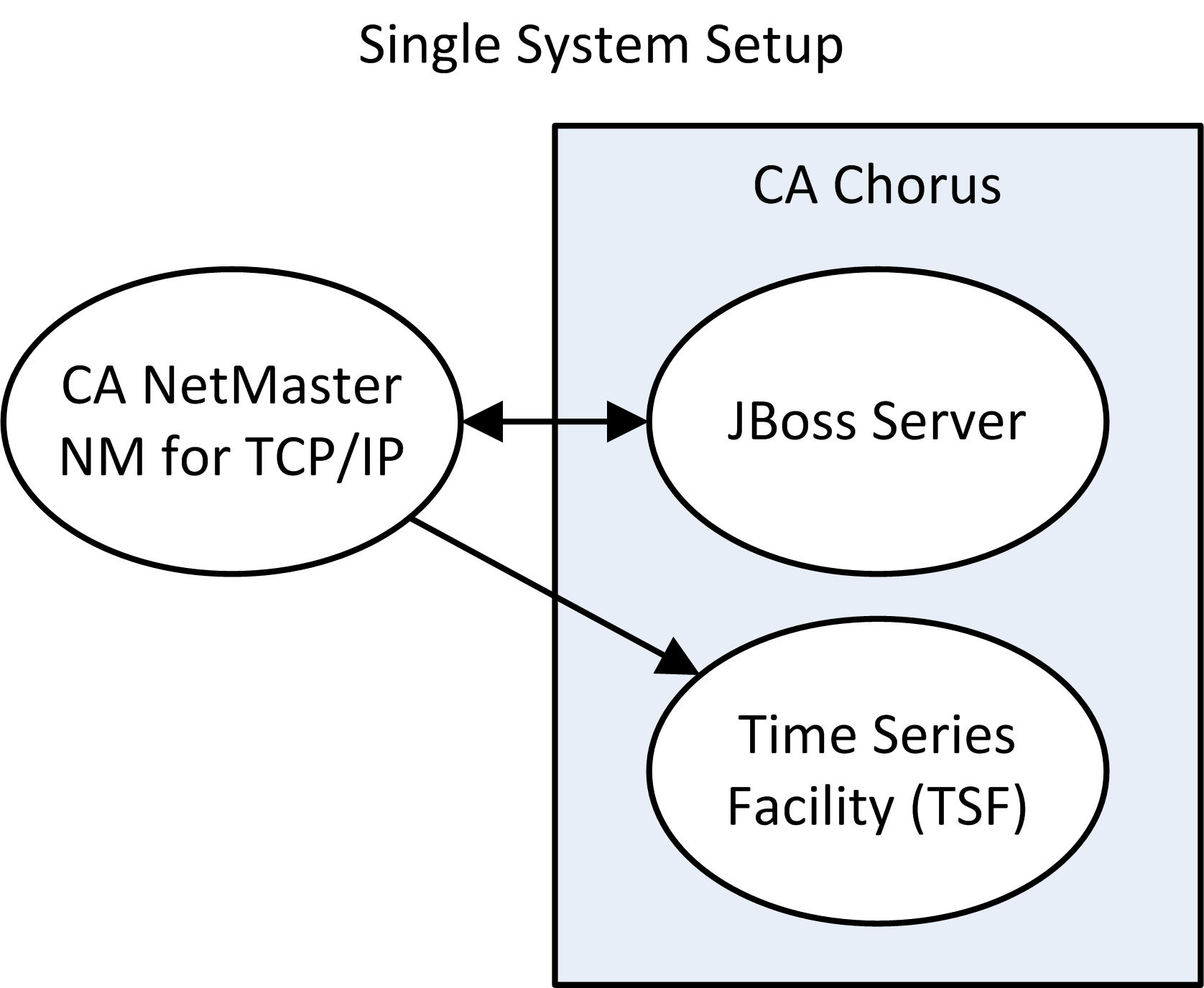
In this environment, your network data comes from a single CA NetMaster NM for TCP/IP region.
In this environment, your network data comes from linked CA NetMaster NM for TCP/IP regions. Set up communication between CA Chorus and a CA NetMaster NM for TCP/IP region that is a focal point. A focal point region sees the data in all linked regions. CA Chorus sends requests to one focal point region to retrieve data from the different systems.
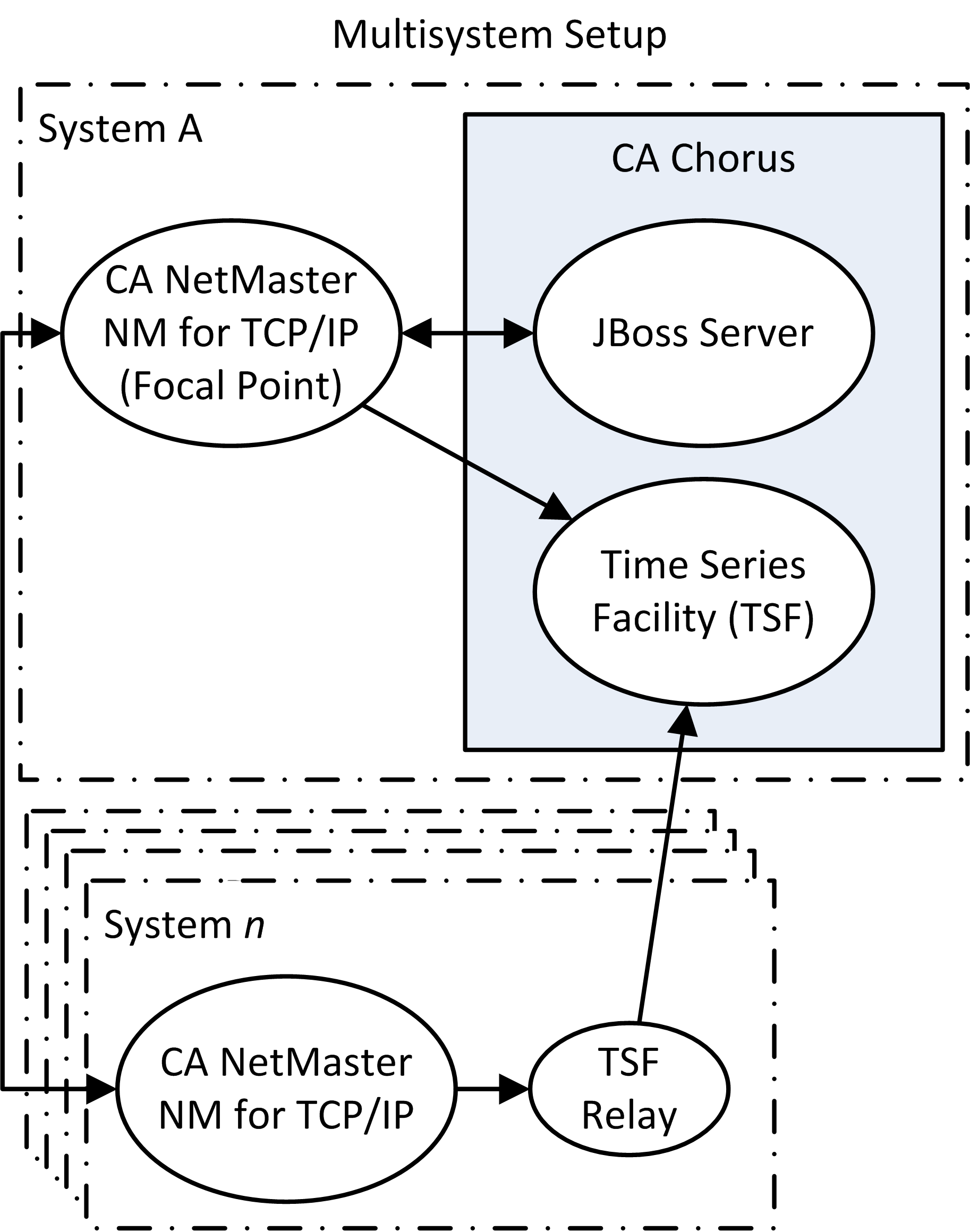
In either environment, CA Chorus requests data from one CA NetMaster NM for TCP/IP region through the JBoss server. Each CA NetMaster NM for TCP/IP region also sends performance metric data to Time Series Facility (TSF).
The CA NetMaster NM for TCP/IP region to which CA Chorus sends requests requires PassTicket support. CA Chorus uses PassTickets to let performance analysts access CA NetMaster NM for TCP/IP functions without having to log in manually. To support PassTicket, the region must use a security exit that specifies the RACROUTE APPL parameter.
|
Copyright © 2014 CA Technologies.
All rights reserved.
|
|