

The Services Overview Page consists of a main summary table that lists information for your services and a filter pane that enables you to control the display of particular services.
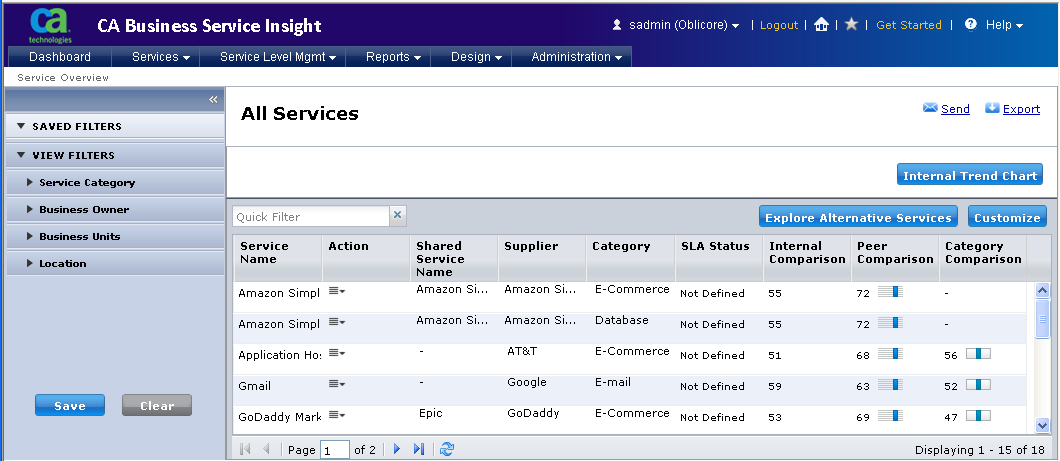
The default view for the Services page displays all discovered services. Available columns in the Services Table Grid include detailed information about the SMI score, SLA rating, Supplier information, and service details.
You can add or remove columns from the table. Click the Customize button to open the Table Display Option dialog.
Additional options enable you to display trending information for selected internal services. Click the Internal Trend Chart button to open the SMI Trend View.
You can customize the Service page when you create a custom view (filters) for the services list. This pane lists your saved filters. You can click a filter to change the display in the main table display area.
Lists filters for additional categories established by the administrator for the selected service. Filters include:
Enables you to compare information for an internal service with data posted to Cloud Commons.
Send, Export
You can email service comparison information when you click the Send button, and save data from the page when you click the Export button.
|
Copyright © 2012 CA.
All rights reserved.
|
|