

As described previously, the service catalog is a key component of the system and should be configured in a structured manner. This enables the system to be used effectively by all users and avoid confusion. It also enables the system to grow with the organization and handle future enhancements and additions with minimal impact on what has already been created.
The system offers a high degree of flexibility in creating and managing the catalog of service components and SLAs. However, since it can only be as good as the design, spending the time to plan for the future is essential at the early stages of design.
Defining the CA Business Service Insight service catalog in an efficient and structured way provides your system with the flexibility to add services and domains to the service catalog later on. It also enables adding Contracts, Metrics, alerts, and reports in the future. In addition, it leads to a more structured approach to the business logic and paves the way towards being able to use standardized modules and templates to handle business data and associated calculations.
In conjunction with the catalog, the service level templates defined in the system provide an excellent way for the Contract Manager to create new Contracts very easily and with little or no knowledge of the underlying levels of data required. After it has been set up effectively, it should be possible to configure a new Contract for a customer by modifying only the parameters in the service level template. This all relies, however, upon the catalog and definitions being set up most effectively. These parameters are all exposed via the objective statement for each Metric in the service level template and can be modified either there, or from the wizard when using the definition.
Example:
When using a service level template to deploy some Customer Support Metrics to a Contract, it is possible to select required metrics from an existing definition.
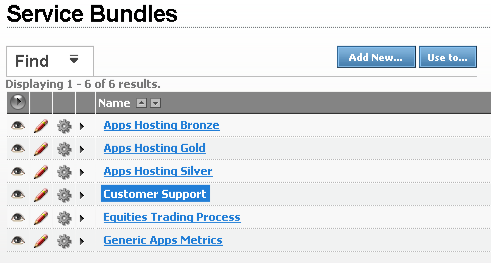
Inside this service level template, there is a Metric called '% of Incidents responded to on time'. You can see that there is a level of subjectivity here, in that the 'on time' component may be open to question. The following example explains the measurement made in this Metric:
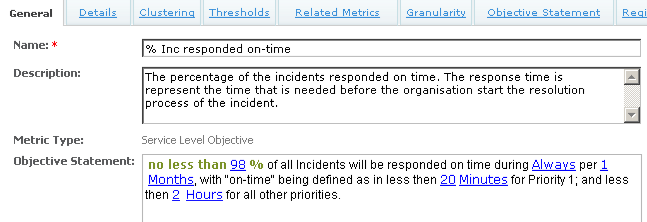
The objective statement displayed at the bottom of the Metric's General tab (or alternatively on the Objective Statement tab) shows all of the parameters exposed in this Metric. In the previous figure, the definition of 'on-time' is given as 20 minutes. This is a parameter which is customizable to allow our own reinterpretation of this pre-defined Metric. To change this value, you can click the 20 Minutes parameter link.
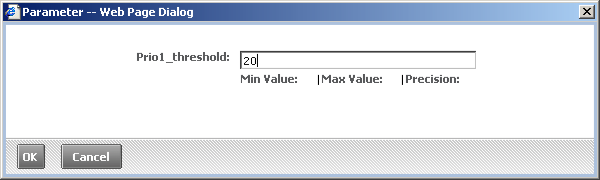
In this way, the new Metric created from the service level template can be customized without the need for modifying the underlying business logic of the Metric. Note that this also assumes the business logic is written in such a way as to incorporate these parameters in the service level calculation.
This simple example shows clearly how important it is to create a powerful and flexible set of service level templates for the system catalog to enable leveraging future Contracts from them.
|
Copyright © 2012 CA.
All rights reserved.
|
|