

As a Service Provider, you manage users and their profiles in the system. Before you can manage users and their profiles, you must import users from CA EEM or other external directories. You can use the syncuputil.bat file to import users in bulk. You need to import users only one time.
For more information about running the utility, see the section Specify the Configuration File Properties, in the CA Service Catalog Integration Guide.
After you import users, you can manage the service groups to which the users are assigned. By default, only Service Providers and Approving Managers have rights to edit user profiles (other than their own) and to add users to groups.
The self-service portal allows you to manage users, profiles, and service groups. The portal is accessible from CA Service Catalog with the URL and your credentials.
Use the self-service portal to navigate to User and Access Management.
Follow these steps:
The available services list opens.
The User and Access Management page opens.
The following diagram illustrates how a provider can manage users.
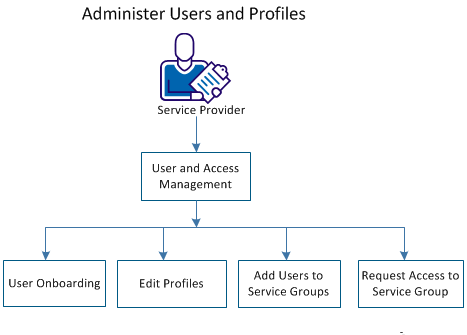
Perform the following functions:
|
Copyright © 2014 CA.
All rights reserved.
|
|