

To perform ArcotID PKI authentication, the ArcotID PKI of the user must be present on the user’s system that is used by the authentication session. If the user is travelling or does not have access to the system, where their ArcotID PKI is stored, then the user has to download the ArcotID PKI from AuthMinder Server and then perform the authentication.
The typical steps for roaming download of the ArcotID PKI are:
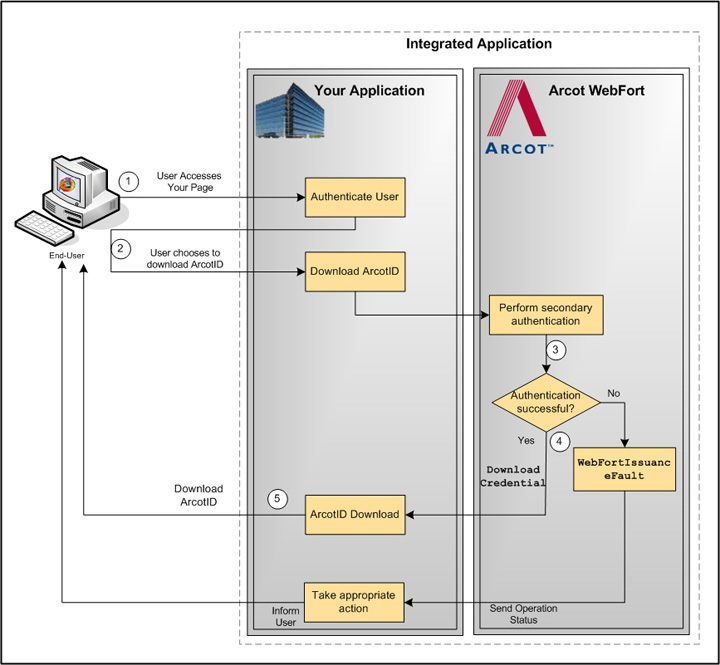
Your application authenticates the user.
Your application displays the appropriate page to the user to download their ArcotID PKI.
Based on the secondary authentication mechanism that you are using, your application displays appropriate pages to the user. For example, your application can prompt the user to:
If the secondary authentication was successful, only then your application should call the DownloadCredential operation. This call downloads the corresponding ArcotID PKI to the your application.
Invoke the ImportArcotID() client-side JavaScript API to download the ArcotID PKI to the end-user’s system without any user interaction.
The following figure illustrates the workflow for roaming download of ArcotID PKI:
|
Copyright © 2013 CA.
All rights reserved.
|
|