

CA Technologies ships a carton containing the appliance, drives, cables, rack mount rails, and software CD.
Follow these steps:
If an item is not present, contact CA Technical Support.
Important: Insert the drives and connect the cables before connecting power to the appliance.
The appliance ships with 16 external disk drives. Each drive is labeled with an identifying number: 0 through 15. Manually insert the disk drives into the slots on the front of the appliance. Do not insert drives from one appliance into another appliance.
Important: The appliance does not detect drives that are inserted in the wrong order. If drives are not detected, the data array used for Analysis Reports and packet storage will not be available.
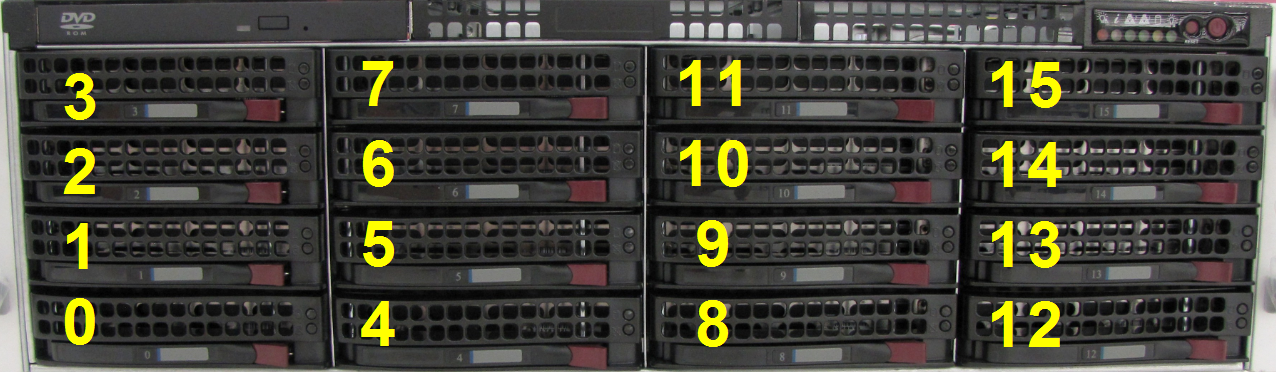
Follow these steps:
All drives are installed and the appliance is ready for cabling.
|
Copyright © 2014 CA Technologies.
All rights reserved.
|
|