

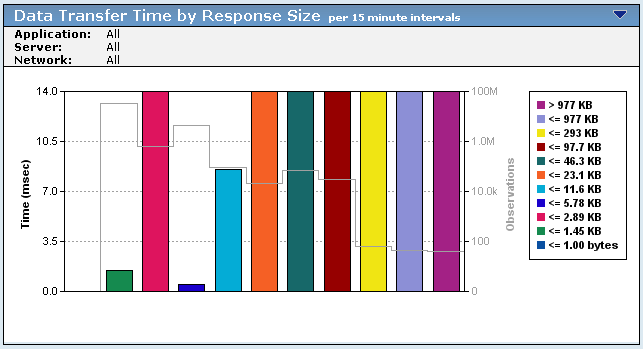
A "Ping-Pong" application sends single-packet responses to most or all requests; it is an application problem. The management console calculates the Data Transfer Time by subtracting the time stamp associated with the last application response to the client data request from the time stamp associated with the first application response to the client data request. If the timestamps are equal, the result is 0 because only one packet was sent by the application in response to the client request, and that this packet must be acknowledged at the application layer before the client can request the next packet.
If the amount of data needed to complete the total transaction numbers in the tens or hundreds of thousand bytes, this can cause significant throughput issues for the application because the client must wait one NRTT+ for each packet to be delivered and acknowledged by the application. If the client asked for all data in a single request, the application would respond by sending as many bytes in multiple packets at one time as the TCP active window allows it to send. This dramatically decreases the number of round trips necessary to transmit the data, and increases the performance of the application.
To verify this scenario when Data Transfer Time is equal to zero:
|
Copyright © 2015 CA Technologies.
All rights reserved.
|
|