

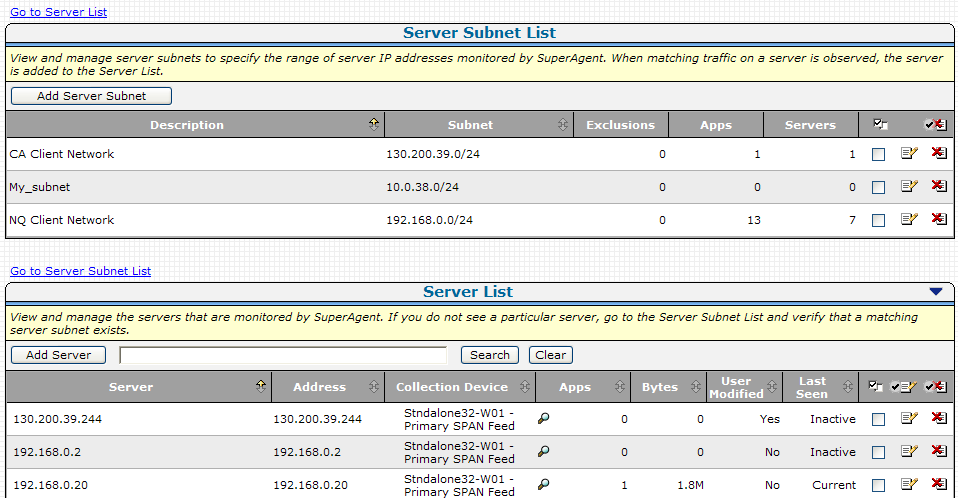
Use the Server Subnet List to specify a server subnet which identifies a range of server IP addresses to be monitored by the management console. Based on the server subnets you specify, when a monitoring device observes matching application traffic between the server and a client network, the management console assigns the monitoring device to the server and adds the server to the Server List. You can also manually add a server to the Server List.
By default, the management console automatically monitors a pre-defined server subnet called Monitor All Servers on subnet 0.0.0.0 mask 0. The default Monitor All Servers subnet enables automatic data collection when adding a new monitor.
|
Copyright © 2014 CA Technologies.
All rights reserved.
|
|