

You can upgrade the APK in older appliances to the latest APK. The APK resides in the boot volume of the appliance. You should branch, upgrade, and test prior to moving the appliance to the catalog. The required privileges and ssh keys must exist.
The latest APK is always the highest version. APK versioning is managed independently of the CA AppLogic version numbers. All APK have backward compatibility. This ensures the latest APK will work with all supported versions of CA AppLogic.
When you install a new grid, the /usr/local/applogic/download directory automatically updates with the latest APK.
Follow these steps:
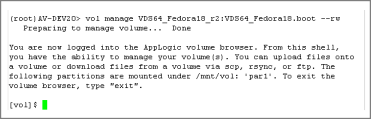
vol manage [name]:[name2]--rw
where name is the name of the volume to be managed and name2 is the name of the secondary volume to be managed.
The following example uses an appliance named VDS64_Fedora18_r2 with a second name of VDS64_Fedora18_r2.boot
[root@hostname /]# cat /tmp/acs-dhclient-options
For example:
[root@hostname /]# wget http://[ipaddress]:8080/download/apk-3.0.10-linux-rh.tar.gz
The APK files download.
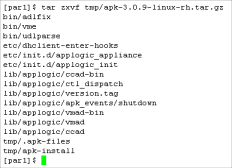
For example:

In the files, notice the name of the file holding the apk is "apk-3.0.10-linux-rh.tar.gz"; This is the red hat apk, version 3.0.10.
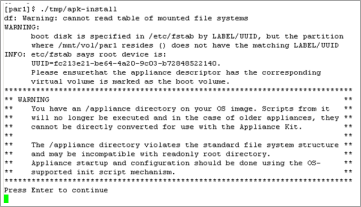
Press Enter. The install continues.


The APK upgrade is complete.
For additional information on using the new features, refer to Customize Appliance Behavior.
|
Copyright © 2013 CA Technologies.
All rights reserved.
|
|