

|
|
|
If you already performed a file copy job and then change the corresponding file copy policies, the data that was previously copied to destination (using the old policy settings) may no longer match your new policy settings. You can use the Auto-Resync feature to synchronize the file copy data at the destination to match your new policy settings. This synchronization is performed when the next file copy job is performed.
For example, you want to apply a new filter to exclude .dll files from your file copy jobs because they are no longer needed or maybe you want to reduce storage space or cost. To do this, you can change your file copy policy filters to exclude these file types. However, as you perform future file copy jobs, you will not add any new .dll files to the destination, but the .dll files that were previously copied to that destination using the old policy settings will still be stored there. You can use this feature to update your file copy destination so that the stored data now matches your new policy settings.
Synchronize the file copy destination.
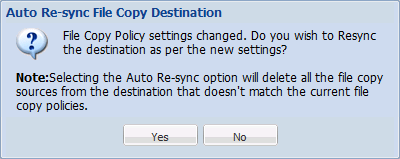
Important! Please be careful when selecting this option. You may permanently delete the file and will no longer be able to access it.
| Copyright © 2012 CA. All rights reserved. | Tell Technical Publications how we can improve this information |