Installing and Configuring the Option › Configure a RAID Device
Configure a RAID Device
Partitioning your library can provide you with a more flexible RAID configuration. For more information about partitioning a library, see Configure a CA ARCserve Backup Virtual Library.
After you start or stop and restart the Tape Engine, CA ARCserve Backup should automatically detect and configure your libraries with a default set of options. This section describes how to:
- Configure a new RAID device.
- Modify an existing RAID device.
To configure a RAID device
- From the Administration menu in the Navigation Bar on the CA ARCserve Backup Manager Console, select Device Configuration.
The Device Configuration Welcome dialog opens.
- From Device Configuration Welcome dialog, select RAID Device and click Next.
The Configure RAID Devices dialog opens.
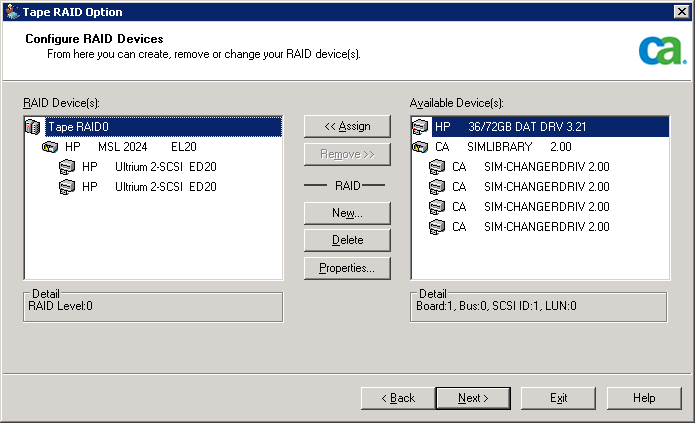
- You can perform any of the following actions from the Configure RAID Devices dialog:
- Create a new RAID device.
- Delete an existing RAID device.
- Change properties, such as RAID level.
- Assign a device to an existing RAID device.
- Remove devices from an existing RAID device.