The Device Configuration Welcome dialog opens.
Note: If the Tape Engine is currently running, you are asked to stop it. Click Yes to continue.
The Configure RAID Device dialog opens.
The Create RAID device dialog opens.
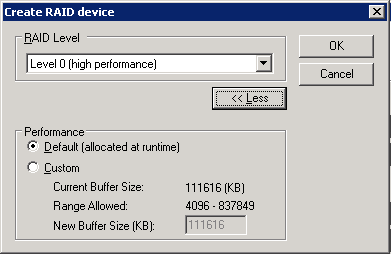
Click More.
Click OK to create the RAID device and return to the Configure RAID Device dialog.
The new RAID device is displayed on the RAID Device(s) list.
Note: A RAID level 0 RAID device must contain at least two drives, a RAID level 1 RAID device must contain exactly two drives, and a RAID level 5 RAID device must contain a minimum of three drives.
You have successfully created and assigned the RAID device.